NSCDC Recruitment Portal Login Password 2025/2026: How to Retrieve or Reset Yours
 Femi Samson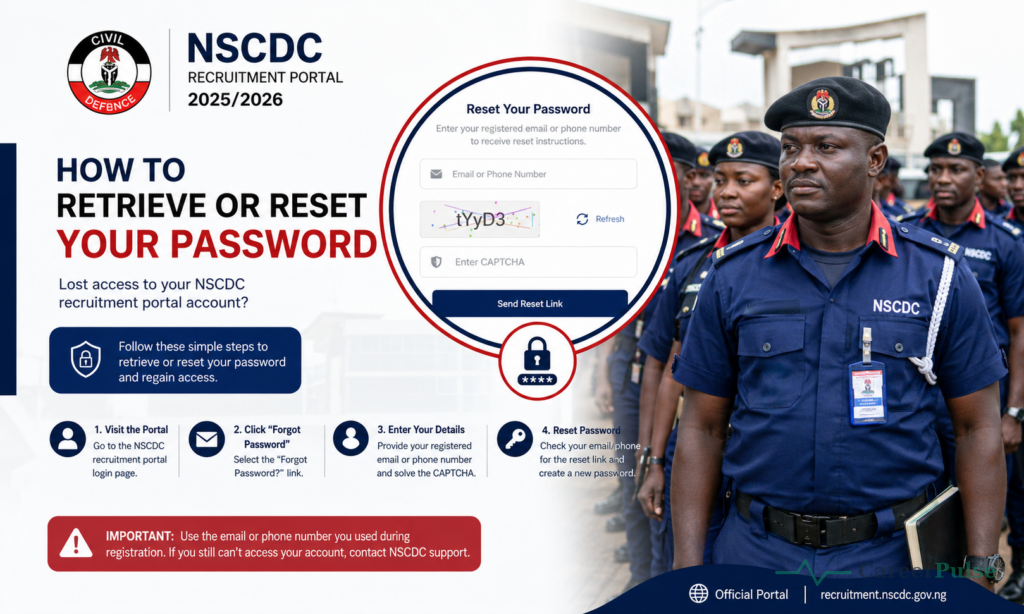
Forgotten your NSCDC recruitment portal login password? You’re far from alone, this is one of the most common issues applicants of the Civil Defence recruitment exercise run into.
Here’s exactly how to retrieve it.
Join our WhatsApp channel for instant job alerts
Recruitment postings, shortlists and exam updates — sent straight to your WhatsApp, completely free.
Join the channelDisclaimer: CareerPulse is an independent recruitment and career information platform. We are not affiliated with, endorsed by, or acting on behalf of any government agency, recruiting body, or company mentioned on this channel. Always verify details directly with the official source before applying or making any payment.
Overview
The Nigeria Security and Civil Defence Corps (NSCDC) recruitment process is supervised by the Civil Defence, Correctional, Fire and Immigration Services Board (CDCFIB), meaning recruitment.cdcfib.gov.ng is the official login portal for NSCDC applicants, not a separate NSCDC-only website.
Step-by-Step: How to Retrieve Your Login Password
- Visit recruitment.cdcfib.gov.ng/lookup directly.
- Enter your National Identification Number (NIN) or the phone number you used during application.
- Click “Retrieve.”
- Follow the prompts to access or reset your password.
- Once retrieved, return to the main login page and enter your credentials to access your dashboard.
If You Don’t Have Access to Either Your Password or Phone Number
In this situation, your best remedy is your National Identification Number (NIN):
- Visit recruitment.cdcfib.gov.ng/lookup.
- Enter your NIN.
- Enter your full name exactly as used during registration.
- Answer the reCAPTCHA verification question.
If this still doesn’t work, try these additional steps:
- Review your original application records for any saved login details.
- Check your acknowledgement slip printout, or the digital copy saved after you applied.
- Search your email inbox (including spam/junk folders) for recruitment confirmation messages from CDCFIB or NSCDC, which often contain your registration details.
- Contact CDCFIB support directly through official channels if none of the above steps work.
Common Login Errors and What They Mean
| Error Message | Likely Cause & Fix |
|---|---|
| “Invalid Login Credentials” | You’ve entered the wrong password, incorrect NIN, or wrong phone number. Cross-check your entered information carefully, including spelling and number sequence. |
| Lookup tool won’t recognize my NIN or phone number | Ensure you’re using the exact NIN, date of birth, and name submitted during your original application, even minor mismatches will cause retrieval to fail. |
| Password reset link not received | Check your spam/junk folder; if it still doesn’t arrive, verify you registered with a working, accessible email address. |
Before You Attempt Password Recovery
Make sure you have the following details ready and accurate, exactly as submitted during your original application:
- Your National Identification Number (NIN)
- Your date of birth
- Your full name as entered at registration
- The phone number used at the time of application
Checking Your Application Status Once Logged In
Once you’ve successfully regained access, log in and navigate to the status/dashboard section to confirm your application status for the next stage (such as CBT shortlist or physical screening). This is important, since portal access issues can otherwise cause you to miss time-sensitive shortlist notifications.
Common Mistakes Applicants Make
- Trying to recover login details with a phone number or NIN different from the one used at registration
- Not checking spam/junk folders for password reset emails
- Assuming the portal is broken when the issue is a minor data mismatch
- Waiting until a critical status-check window to attempt password recovery, rather than resolving login issues in advance
Expert Tips for Success
- Once you successfully log in, immediately write down or securely save your login credentials somewhere accessible.
- Attempt password recovery well before any known status-check deadline, not at the last minute.
- Use the exact registration details (NIN, name, date of birth) consistently across every recovery attempt.
- If all self-service options fail, contact CDCFIB support directly rather than turning to unofficial “help” services.
Recruitment Scam Warning
Password recovery on the official CDCFIB portal is completely free. Be extremely cautious of anyone, individual, agent, or website, offering to “recover your NSCDC login” for a fee.
This is not a legitimate service, and the only trustworthy option is the official recruitment.cdcfib.gov.ng lookup tool.
Important Dates and Deadlines
Portal access matters most during active status-verification windows tied to specific recruitment stages (like CBT shortlisting or physical screening). Check recruitment.cdcfib.gov.ng for the currently active window so you know when timely portal access is most critical.
Frequently Asked Questions
Where do I go to recover my NSCDC recruitment portal password?
recruitment.cdcfib.gov.ng/lookup, using your NIN or registered phone number.
What if my phone number has changed since I applied?
Use your NIN instead, along with your exact registered name, to attempt recovery.
Is there a separate NSCDC-only recruitment portal?
No, NSCDC recruitment is managed entirely through the shared CDCFIB portal.
Why does the system say “Invalid Login Credentials” even though I’m sure my details are correct?
Double-check for small errors, spacing, capitalization, or a transposed digit in your NIN or phone number are common culprits.
Is there a fee to recover my password?
No, this is completely free through the official portal. Never pay a third party for this service.
Lastly
Most NSCDC/CDCFIB portal login issues come down to small data mismatches that are fixable using the official lookup tool. Recover your access early, save your credentials securely, and bookmark this page for quick reference if you run into trouble again.
