CDCFIB Recruitment Portal 2026: How to Verify Status and Recover Application Number
 Ololade Blessing
Lost your CDCFIB application number, or just want to confirm exactly where your application stands?
This guide focuses specifically on the practical portal navigation tools, recovering a lost number and verifying your status, for anyone who applied through the Civil Defence, Correctional, Fire and Immigration Services Board.
Join our WhatsApp channel for instant job alerts
Recruitment postings, shortlists and exam updates — sent straight to your WhatsApp, completely free.
Join the channelDisclaimer: CareerPulse is an independent recruitment and career information platform. We are not affiliated with, endorsed by, or acting on behalf of any government agency, recruiting body, or company mentioned on this channel. Always verify details directly with the official source before applying or making any payment.
Why This Matters
Your CDCFIB application number is the key credential used throughout the entire recruitment process, from checking your CBT shortlist to verifying your physical screening status. Losing it doesn’t mean losing your application, but you’ll need to recover it correctly to avoid delays.
About the Organization
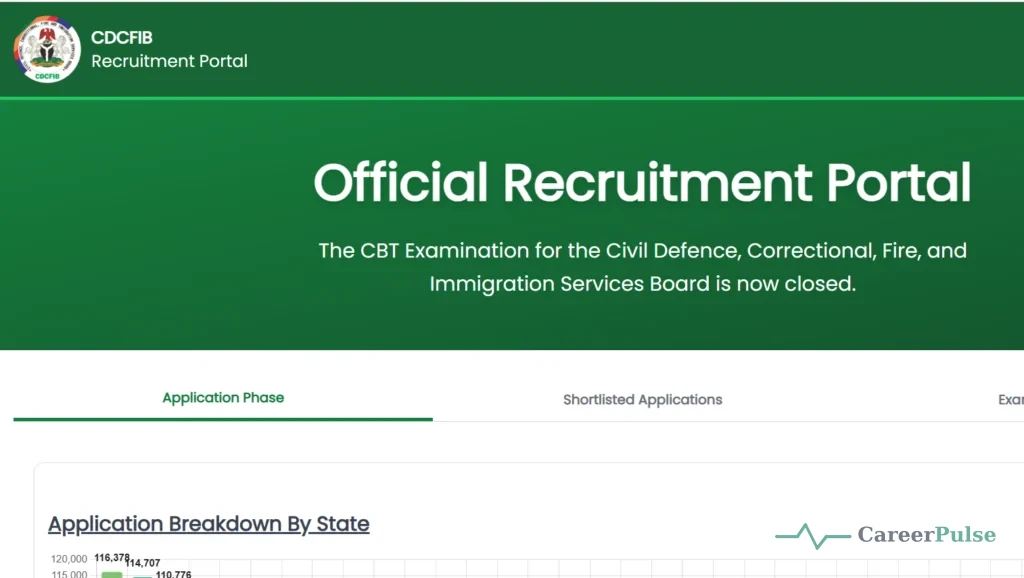
CDCFIB oversees the entire recruitment pipeline, application, first shortlist for CBT, physical screening, and appointment, for four agencies: the Nigeria Security and Civil Defence Corps (NSCDC), Nigerian Correctional Service (NCoS), Federal Fire Service (FFS), and the Nigeria Immigration Service (NIS).
Step-by-Step: How to Recover a Lost Application Number
- Visit recruitment.cdcfib.gov.ng/lookup directly.
- Enter the phone number or National Identification Number (NIN) you used during your original registration.
- Click “Retrieve.”
- A dialogue box will pop up showing your retrieved application number.
- Copy or write down the number, then return to the main CDCFIB login page and enter it to access your dashboard.
Step-by-Step: How to Verify Your Application Status
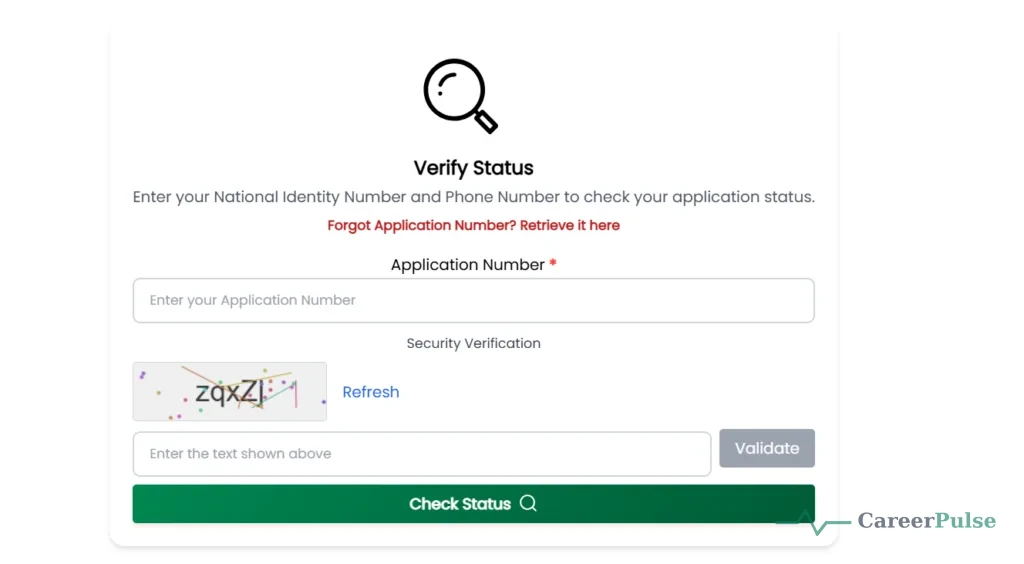
- Go to recruitment.cdcfib.gov.ng (or the lookup page directly if you don’t have your application number handy).
- Log in using your Application Number, NIN, or the phone number registered on your application, this must exactly match what you used during initial registration.
- Once logged in, check your dashboard for your current application status.
- Whether or not you received an SMS notification, this direct portal check is the most reliable way to confirm your status.
What Your Dashboard Can Show You
- Whether you’ve been shortlisted for the next stage (CBT, physical screening, etc.)
- Your assigned screening centre, date, and time, if applicable
- Any outstanding document uploads or verification steps required
- General announcements or updates specific to your applied agency
Troubleshooting Common Portal Issues
| Problem | What to Try |
|---|---|
| Lookup tool doesn’t recognize my phone number or NIN | Double-check you’re using the exact number/NIN entered during original registration, even small formatting differences can cause a mismatch |
| Portal is slow or unresponsive | Try again during off-peak hours, given how much traffic CDCFIB’s portal receives during status-check windows |
| Dashboard shows no update | This may mean your application hasn’t reached the next stage yet, check back periodically rather than assuming an error |
| Forgot which agency you applied to | Your dashboard should display your selected agency (NSCDC, NIS, NCoS, or FFS) once you successfully log in |
Important Reminders While Using the Portal
- Only use recruitment.cdcfib.gov.ng: be cautious of similarly named domains that aren’t the official portal.
- Make selections (like screening date and venue) carefully, since changes may not be permitted once confirmed.
- Keep a personal record of your application number once retrieved, so you don’t need to repeat the recovery process.
- Check the portal’s news/announcement section for updates specific to venue or time changes.
Common Mistakes Applicants Make
- Trying to recover their application number using a phone number or NIN different from what was used at registration
- Assuming the lookup tool is broken when the issue is actually a minor data mismatch
- Not saving the recovered application number somewhere safe, requiring repeated recovery attempts
- Using unofficial third-party sites that claim to “recover” application numbers for a fee
Expert Tips for Success
- As soon as you recover your application number, write it down or save it in a notes app immediately.
- Use the exact same device or browser details you used at registration if possible, to reduce mismatch issues.
- Check your status periodically rather than repeatedly during high-traffic hours, which can slow down the portal for everyone.
- If your NIN and phone number both fail to retrieve your application, contact CDCFIB directly through official channels rather than a third party.
Recruitment Scam Warning
The CDCFIB recruitment portal, including the application number recovery tool and status verification, is completely free. Never pay anyone claiming to recover your application number, expedite your status check, or guarantee shortlisting through unofficial channels.
Important Dates and Deadlines
Status verification windows are announced periodically and tied to specific recruitment stages (such as the CBT shortlist or physical screening). Check recruitment.cdcfib.gov.ng directly for the currently active verification window, since these dates change between stages and cycles.
Frequently Asked Questions
How do I recover a lost CDCFIB application number?
Visit recruitment.cdcfib.gov.ng/lookup and enter the phone number or NIN used during your original registration.
What if my phone number or NIN doesn’t retrieve my application?
Double-check you’re using the exact details from your original registration. If it still fails, contact CDCFIB directly through official channels.
Can I check my status without my application number?
Yes, you can typically log in using your NIN or registered phone number as an alternative.
Is there a fee to recover my application number or check my status?
No, both are free through the official portal.
Can I change my selected screening date after confirming it?
Generally, no, choose your screening date carefully, as changes may not be permitted afterward.
Conclusion
Recovering your CDCFIB application number and checking your status is straightforward once you use the correct registration details on the official portal. Save your application number securely once retrieved, and bookmark this page for future reference.
